Centos7下安装openOffice
一、安装OpenOffice
1、安装环境
Centos 8
2、下载OpenOffice
wget https://udomain.dl.sourceforge.net/project/openofficeorg.mirror/4.1.12/binaries/zh-CN/Apache_OpenOffice_4.1.12_Linux_x86-64_install-deb_zh-CN.tar.gz
3、解压
tar -zxvf Apache_OpenOffice_4.1.12_Linux_x86-64_install-rpm_zh-CN.tar.gz
4、进入zh-CN文件夹下的RPMS目录下,执行yum localinstall *.rpm安装必要的包
cd zh-CN/RPMS/

yum localinstall *.rpm
6、安装完成后在当前目录下会生成一个desktop-integration,进入该目录,并安装
cd desktop-integration/

yum localinstall openoffice4.1.12-redhat-menus-4.1.12-9809.noarch.rpm
二、启动OpenOffice
1、临时启动
soffice --headless --accept="socket,host=127.0.0.1,port=8100;urp;" --nofirststartwizard
2、后台启动
nohup soffice --headless --accept="socket,host=127.0.0.1,port=8100;urp;" --nofirststartwizard &
3、开机启动
vim /etc/rc.local

nohup soffice --headless --accept="socket,host=127.0.0.1,port=8100;urp;" --nofirststartwizard &
三、验证是否启动成功
[root@localhost ~]# netstat -ntlp|grep 8100
tcp        0      0 127.0.0.1:8100          0.0.0.0:*               LISTEN      1489657/soffice.bin


[root@localhost ~]# ps -ef|grep office
root     1489633 1489338  0 16:13 pts/0    00:00:00 /opt/libreoffice7.1/program/oosplash --headless --accept=socket,host=127.0.0.1,port=8100;urp; --nofirststartwizard
root     1489657 1489633  0 16:13 pts/0    00:00:00 /opt/libreoffice7.1/program/soffice.bin --headless --accept=socket,host=127.0.0.1,port=8100;urp; --nofirststartwizard
root     1489734 1489502  0 16:16 pts/1    00:00:00 grep --color=auto office
四、使用命令转pdf
soffice --headless --invisible --convert-to pdf path/to/officefile --outdir path/to/outdir
path/to/officefile:office文件地址
path/to/outdir:输出目录
热门标签
每日一句
-
高尚的人总是默默地忍受悲痛。
——席勒
今日排行
- 微信小程序支持Markdown的解析库Towxml和搭建公式流程图渲染服务
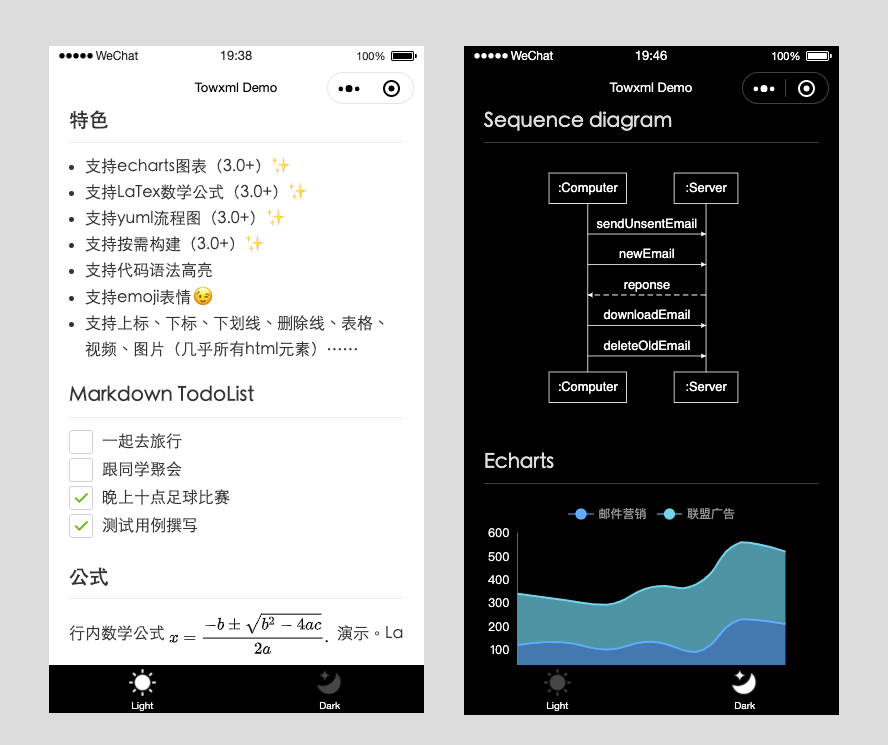 Towxml 是一个让小程序(微信/QQ)可以解析Markdown、HTML的解析库。能够使小程序完美解析Markdown内容。
 - Mysql in 多个字段的用法
 Mysql in 多个字段的用法
 - Flutter:图片组件Image
 在Flutter中要想显示图片,就需要用到Image组件,但是作为Image组件,用法有好几种,本文就主要介绍下Image的使用。
 - Centos7下安装openOffice
 OpenOffice.org 是一套跨平台的办公室软件套件,能在Windows、Linux、MacOS X (X11)和 Solaris 等操作系统上执行。它与各个主要的办公室软件套件兼容。OpenOffice.org 是免费软件,任何人都可以免费下载、使用及推广它。
 - 装饰模式(Decorator)
 通常情况下,扩展一个类的功能会使用继承方式来实现。但继承具有静态特征,耦合度高,并且随着扩展功能的增多,子类会很膨胀。如果使用组合关系来创建一个包装对象(即装饰对象)来包裹真实对象,并在保持真实对象的类结构不变的前提下,为其提供额外的功能,这就是装饰模式的目标。
点击排行
- VSCode插件 - 快速生成表格并格式化
 快速生成表格
 - Electron页面跳转、浏览器打开链接和打开新窗口
 Electron页面跳转、浏览器打开链接和打开新窗口
 - Electron打包错误“Error: Application entry file ..”解决方案
打包出现如下错误:Error: Application entry file "dist\electron\main.js" in the "D:\gui\demo2\build\win-unpacked\resources\app.asar" does not exist. Seems like a wrong configuration.
- mac git用户名和密码修改
 在Mac电脑中,如何对Git的用户名和密码进行修改呢?起初不懂Mac,所以整了很久,本文将记录如何对这个进行操作,以便后期使用。
 - Git保存和清除用户名、密码
 在使用Git的过程中,不想每次都输入用户名和密码去拉取代码,所以就需要保存这些信息,那么既然有保存了,就必须有清除功能。
 - Docker编译出现:temporary error (try again later)
 Docker编译镜像出现:fetch http://dl-cdn.alpinelinux.org/alpine/v3.12/main/x86_64/APKINDEX.tar.gz
ERROR: http://dl-cdn.alpinelinux.org/alpine/v3.12/main: temporary error (try again later)
WARNING: Ignoring APKINDEX.2c4ac24e.tar.gz: No such file or directory问题
Docker编译镜像出现:fetch http://dl-cdn.alpinelinux.org/alpine/v3.12/main/x86_64/APKINDEX.tar.gz
ERROR: http://dl-cdn.alpinelinux.org/alpine/v3.12/main: temporary error (try again later)
WARNING: Ignoring APKINDEX.2c4ac24e.tar.gz: No such file or directory问题