Go-Micro rpc调用注册的服务
1、目录结构
micro-home:项目目录
    service:服务目录
        model:proto生成的目录
        proto:proto定义目录
    main.go:入口
    make_proto.bat:生成proto
2、要实现调用rpc服务,就直接把服务端的proto文件拷贝的客户端
3、拷贝make_proto.bat到客户端
4、main.go内容
package main

import (
    "github.com/gin-gonic/gin"
    "github.com/micro/go-micro"
    "github.com/micro/go-micro/registry"
    "github.com/micro/go-micro/web"
    "github.com/micro/go-plugins/registry/consul"
    services "micro-home/service/model"
    "strconv"
)

func InitMiddleware(service services.StudentListService) gin.HandlerFunc {
    return func(context *gin.Context) {
        context.Keys = make(map[string]interface{})
        context.Keys["student_service"] = service
        context.Next()
    }
}

func main() {
    register := consul.NewRegistry(func(options *registry.Options) {
        options.Addrs = []string{
            "192.168.1.171:8500",
            "192.168.1.177:8500",
            "192.168.1.178:8500",
        }
    })
    //微服务需要注册
    homeService := micro.NewService(micro.Name("micro-home-client"), micro.Registry(register))
    //实例化服务
    studentListService := services.NewStudentListService("student-service", homeService.Client())

    routers := gin.Default()

    routers.Use(InitMiddleware(studentListService)) //使用中间件,将服务传递到context中

    routers.GET("/", func(context *gin.Context) {
        service := context.Keys["student_service"].(services.StudentListService)
        number := context.DefaultQuery("number", "0")
        num, err := strconv.Atoi(number)
        if err != nil {
            num = 1
        }
        if num <= 0 {
            num = 1
        }
        studentListResponse, err := service.GetStudentListService(context, &services.StudentListRequest{
            Num: int32(num),
        })
        if err != nil {
            context.JSON(200, gin.H{
                "status": "",
                "data":   err.Error(),
            })
        } else {
            context.JSON(200, gin.H{
                "status": studentListResponse.Status,
                "data":   studentListResponse.Data,
            })
        }
    })

    service := web.NewService(
        web.Name("home-service-api"),
        web.Address(":8081"),
        web.Handler(routers),
        web.Registry(register),
    )

    service.Run()
}
热门标签
每日一句
-
高尚的人总是默默地忍受悲痛。
——席勒
今日排行
- Dockerfile和docker-compose.yml设置时区
 在使用功能镜像的时候,需要对时区进行修改,那么就需要从两个方面来考虑,本文主要记录Dockerfile和docker-compose.yml设置时区。
 - 微信小程序支持Markdown的解析库Towxml和搭建公式流程图渲染服务
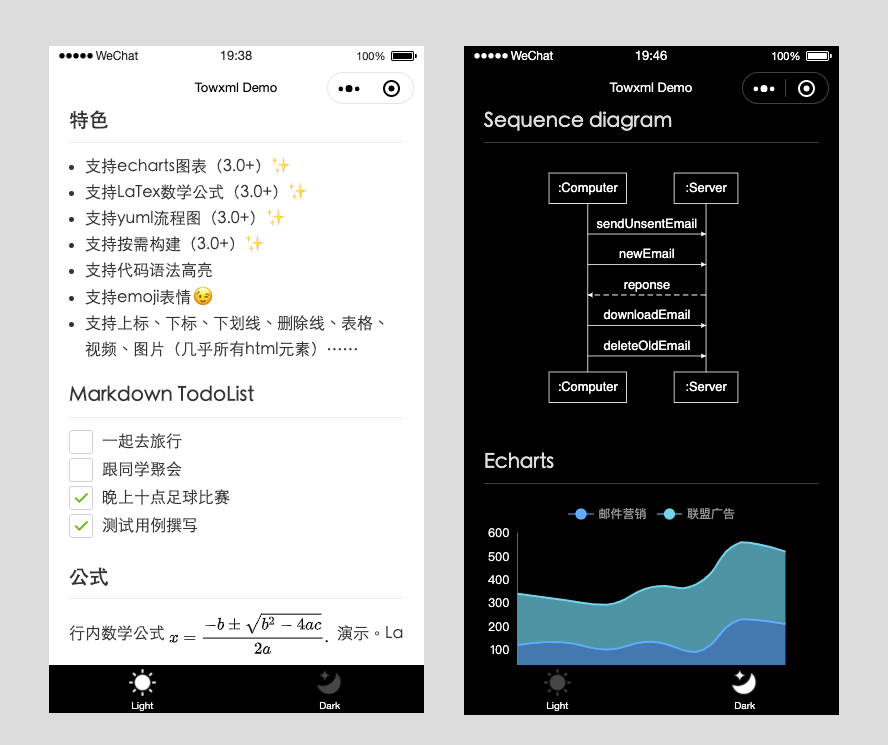 Towxml 是一个让小程序(微信/QQ)可以解析Markdown、HTML的解析库。能够使小程序完美解析Markdown内容。
 - Mongodb根据日期字符串分组查询和Golang中的使用
 在Golang编程中,经常会用到MongoDB数据库进行查询,但是当日期是一个字符串的时候,如何根据日期进行分组查询呢?本文将记录如何分组查询统计。
 - Mysql in 多个字段的用法
 Mysql in 多个字段的用法
 - Centos7下安装openOffice
 OpenOffice.org 是一套跨平台的办公室软件套件,能在Windows、Linux、MacOS X (X11)和 Solaris 等操作系统上执行。它与各个主要的办公室软件套件兼容。OpenOffice.org 是免费软件,任何人都可以免费下载、使用及推广它。
点击排行
- VSCode插件 - 快速生成表格并格式化
 快速生成表格
 - Electron页面跳转、浏览器打开链接和打开新窗口
 Electron页面跳转、浏览器打开链接和打开新窗口
 - Electron打包错误“Error: Application entry file ..”解决方案
打包出现如下错误:Error: Application entry file "dist\electron\main.js" in the "D:\gui\demo2\build\win-unpacked\resources\app.asar" does not exist. Seems like a wrong configuration.
- mac git用户名和密码修改
 在Mac电脑中,如何对Git的用户名和密码进行修改呢?起初不懂Mac,所以整了很久,本文将记录如何对这个进行操作,以便后期使用。
 - Git保存和清除用户名、密码
 在使用Git的过程中,不想每次都输入用户名和密码去拉取代码,所以就需要保存这些信息,那么既然有保存了,就必须有清除功能。
 - Docker编译出现:temporary error (try again later)
 Docker编译镜像出现:fetch http://dl-cdn.alpinelinux.org/alpine/v3.12/main/x86_64/APKINDEX.tar.gz
ERROR: http://dl-cdn.alpinelinux.org/alpine/v3.12/main: temporary error (try again later)
WARNING: Ignoring APKINDEX.2c4ac24e.tar.gz: No such file or directory问题
Docker编译镜像出现:fetch http://dl-cdn.alpinelinux.org/alpine/v3.12/main/x86_64/APKINDEX.tar.gz
ERROR: http://dl-cdn.alpinelinux.org/alpine/v3.12/main: temporary error (try again later)
WARNING: Ignoring APKINDEX.2c4ac24e.tar.gz: No such file or directory问题